Transactional vs marketing email in HubSpot
A transactional email is one the recipient needs because of something they did or signed up for: a receipt, an account-access notice, a renewal notice. A marketing email sells something. In HubSpot the difference matters, because marketing email respects unsubscribes and transactional email doesn't.
The quick test
Ask one question: would the customer be upset if they didn't get this email? If yes, it's probably transactional. If they'd shrug, it's marketing.
| Type | Why | |
|---|---|---|
| Receipt after a purchase | Transactional | The customer expects proof of payment |
| Renewal coming up in 14 days | Transactional | It's about a contract they already have |
| Payment failed, update your card | Transactional | The account needs action |
| Ticket status changed | Transactional | It's about a request they opened |
| Monthly newsletter | Marketing | Nobody's waiting on it |
| “Upgrade and save 20%” | Marketing | It's selling something |
| Receipt with an upsell banner | Gray area | The upsell can turn a receipt into marketing |
Why HubSpot treats them differently
Marketing email in HubSpot follows subscription preferences. If a contact unsubscribes, HubSpot stops sending them marketing email, including anything a workflow tries to send.
Transactional email goes out whether or not the contact is subscribed. Natively, HubSpot only offers that through its Transactional Email add-on, which HubSpot lists at $600 a month (as of October 2026) and only with Marketing Hub Professional or Enterprise. Teams without it build their receipts as marketing emails. Then unsubscribed customers quietly stop getting them.
Keep transactional email transactional
The freedom to ignore unsubscribes comes with a responsibility. If you slip promotions into transactional emails, recipients mark them as spam, mailbox providers notice, and your receipts start landing in junk.
Start with the transaction itself: the order, the amount, the date, or what changed on the account. Discount codes, product launches and “you might also like” sections belong in your marketing email. A real reply-to helps more than people expect, because someone who can answer the email has no reason to report it. And timing matters: a transactional email goes out when the event happens, not on Tuesday at 10am with the newsletter.
Laws differ by country. In the US, CAN-SPAM looks at a message's “primary purpose.” If an email mixes both, get legal advice for your case.
How we enforce it
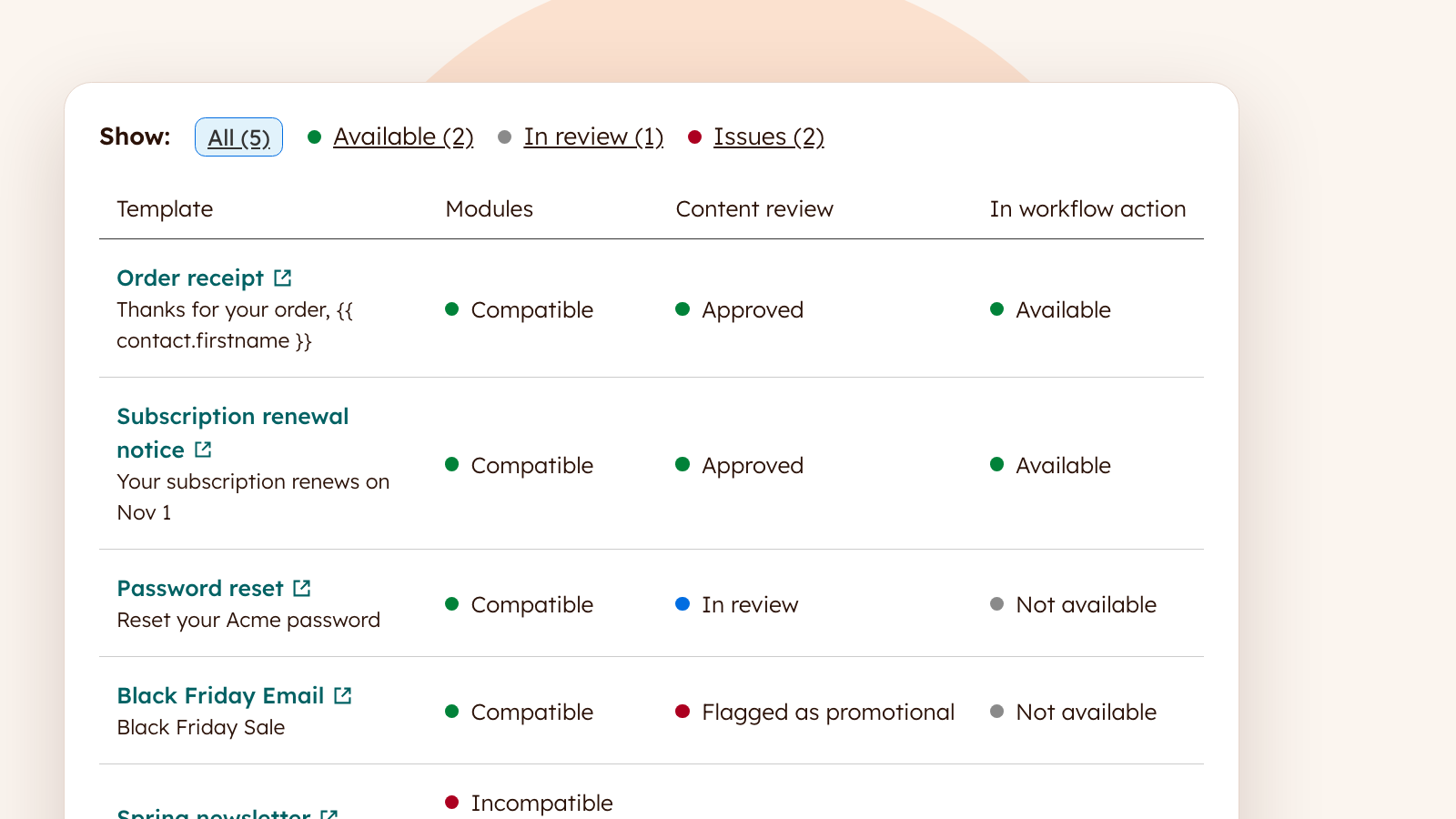
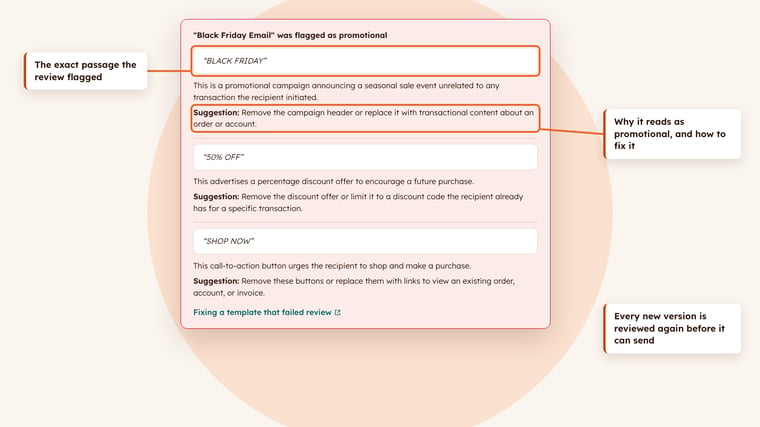
Cambium Transactional Email runs an automatic transactional content review on every template before it can send, and again on every new version. If it finds promotional content, the template is blocked and the review shows each flagged passage, why it reads as promotional and a suggested fix, so you know what to cut. Nobody can override it, which protects every customer's deliverability, including yours. If you think a result is wrong, our support team will take a look.
Send transactional email from your HubSpot workflows
Install Transactional Email free and send 20 real emails from our sandbox address, with no card and no DNS changes. See all features.