Everything you need to send transactional email from HubSpot
Cambium Transactional Email turns a HubSpot workflow step into a receipt, renewal notice or account email, sent from your own domain with deliverability guardrails built in.
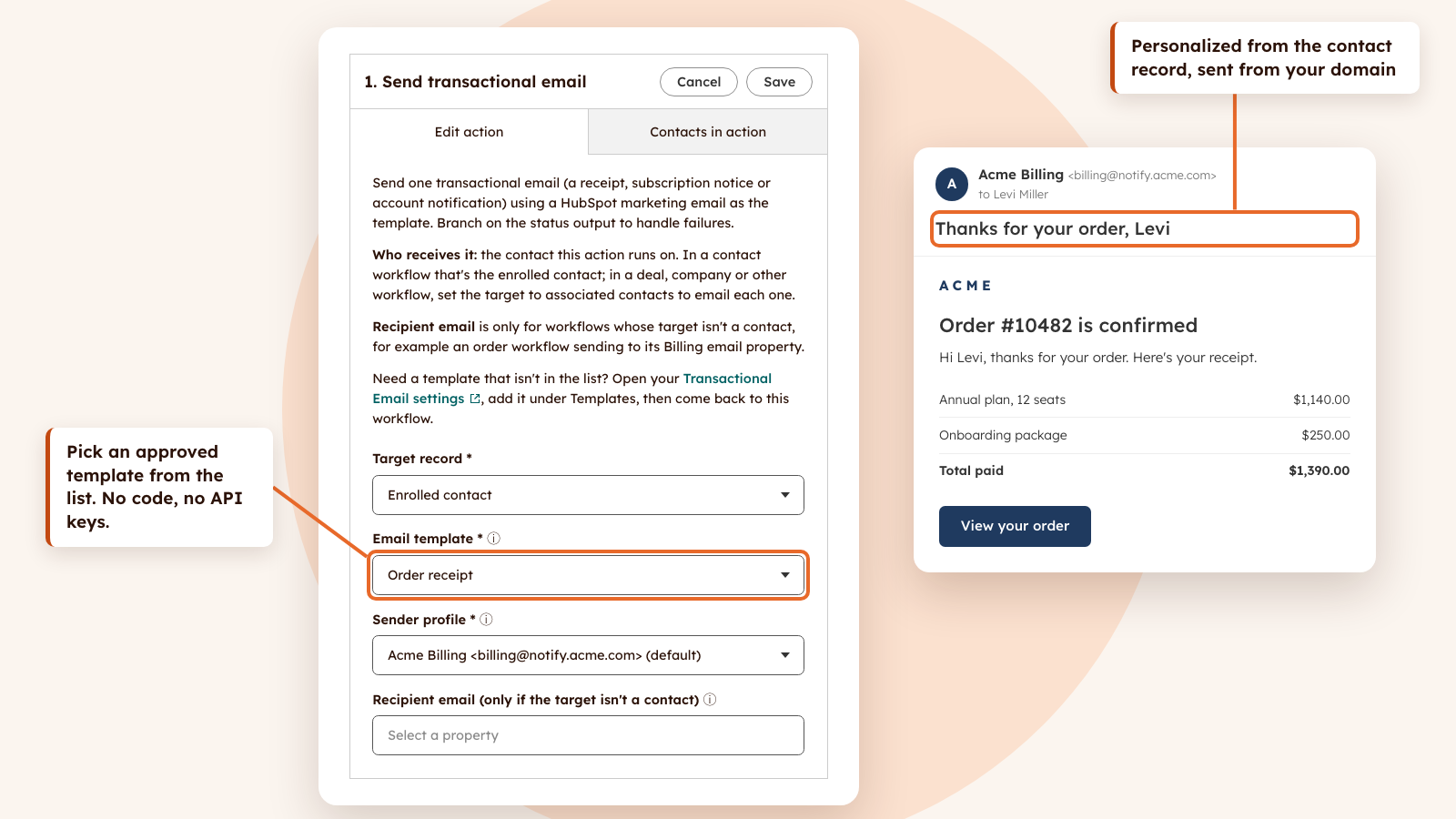
Send transactional email from any HubSpot workflow
Add the Send transactional email action to a contact, company, deal, ticket or custom-object workflow. Pick an approved template and a sender profile, and each contact the action targets gets one personalized email from your own domain. In a contact workflow that's the enrolled contact; in other workflows, set the target to the associated contacts. No developer, no API keys, no separate email provider.
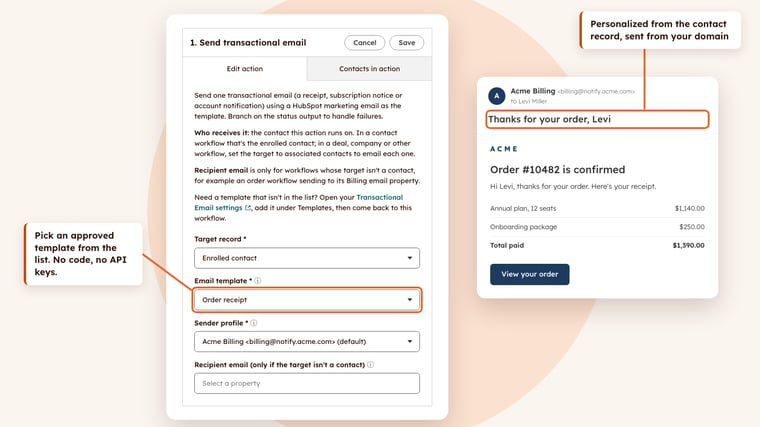
Automatic transactional content review
Every template version is reviewed before it can send, so promotional content never goes out as transactional email. When something is flagged, you see the exact passage, why it reads as promotional and a suggested fix. Only approved templates appear in the workflow action, and unsubscribe and preference links are removed automatically.
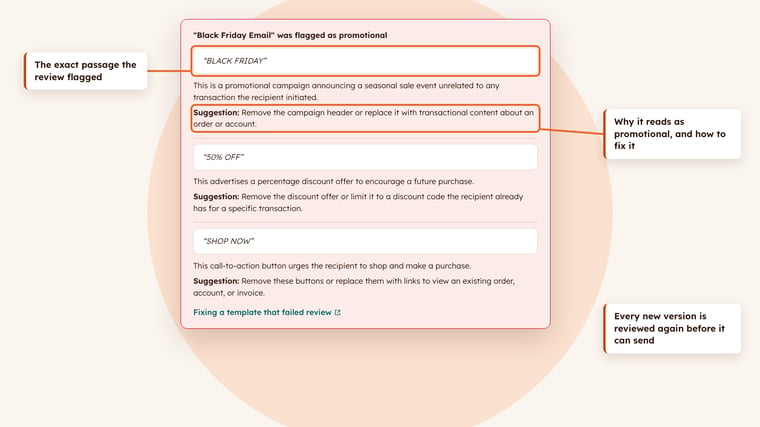
Your own authenticated sending domain
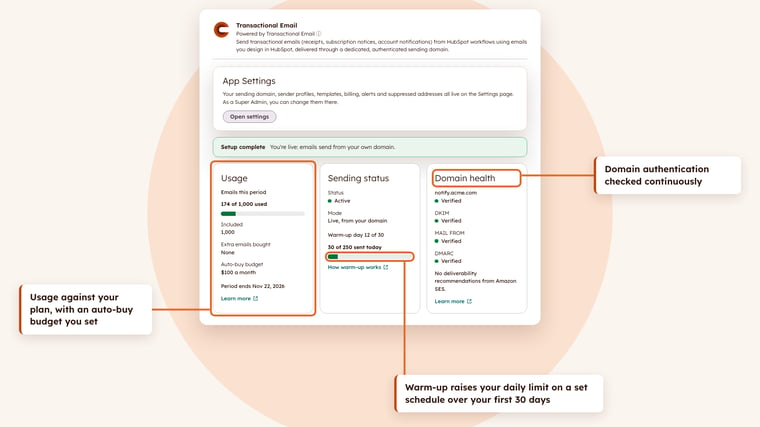
Send from a domain you own, such as notify.yourcompany.com. Copy the DKIM, MAIL FROM and DMARC records into your DNS, or click Send instructions to IT to email them to whoever runs it. Every record is checked automatically, and the app shows each one's status as it verifies.
Deliverability guardrails, on by default
Each account sends with its own isolated sending reputation, so another customer's bounces and complaints never pause your account. Warm-up raises your daily limit on a set schedule over your first 30 days live. Hard bounces, spam complaints and three soft bounces in a row suppress the address automatically, and sending pauses and alerts you if bounce or complaint rates climb. No address gets more than 10 emails in 24 hours, and App Home shows usage, sending status and domain health at a glance.
Branch on the result of every send
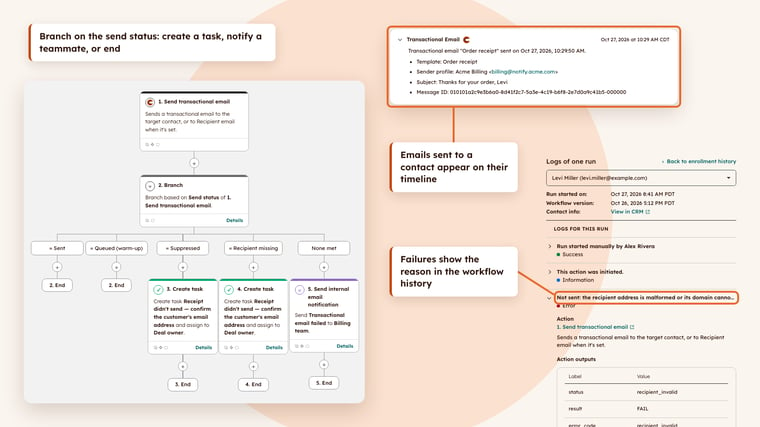
The action returns a send status, message ID and error code your workflow can branch on: create a task when an address is invalid, notify a teammate, or carry on. Emails sent to a contact show as Sent, Bounced or Complaint events on their timeline, and three contact properties record suppression and the last email sent. Failures show their reason in the workflow history.
A searchable send log
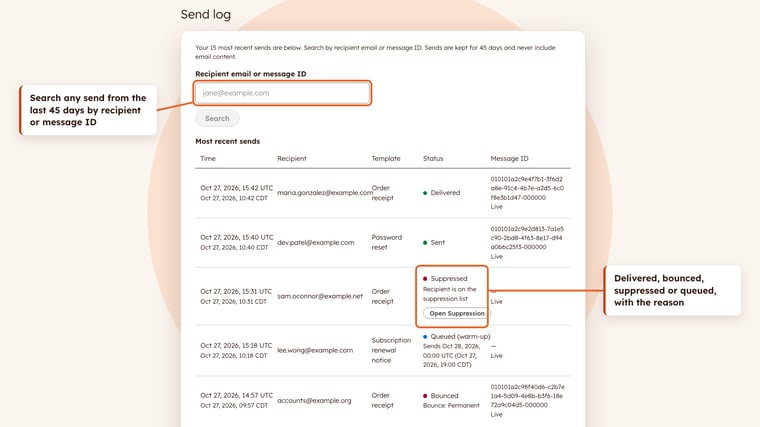
Find any send from the last 45 days on App Home by recipient email or message ID, and see whether it was delivered, bounced, suppressed or queued, with the reason. The log keeps details about each send, never the email's content.
Also included
- Sender profiles: a from name, a from address on your domain and a reply-to. Keep several and mark one as the default.
- Personalization tokens: any contact property, plus properties of the contact's primary company.
- Super Admin-only settings: anyone can view Settings; only HubSpot Super Admins can change templates, senders, the domain or billing.
- Alerts by email: usage, review failures, pauses, DNS and billing alerts go to the people you choose.
- A free sandbox: 20 real sends from our sandbox address, to any recipient, with no card and no DNS.
- An EU app: Transactional Email (EU) stores your data and sends your email from the EU.
Start with 20 free sends
Install, build a template and send a real email from a workflow before you set up DNS or enter a card. When you go live, it's $89 a month for 1,000 emails. See pricing · Install free